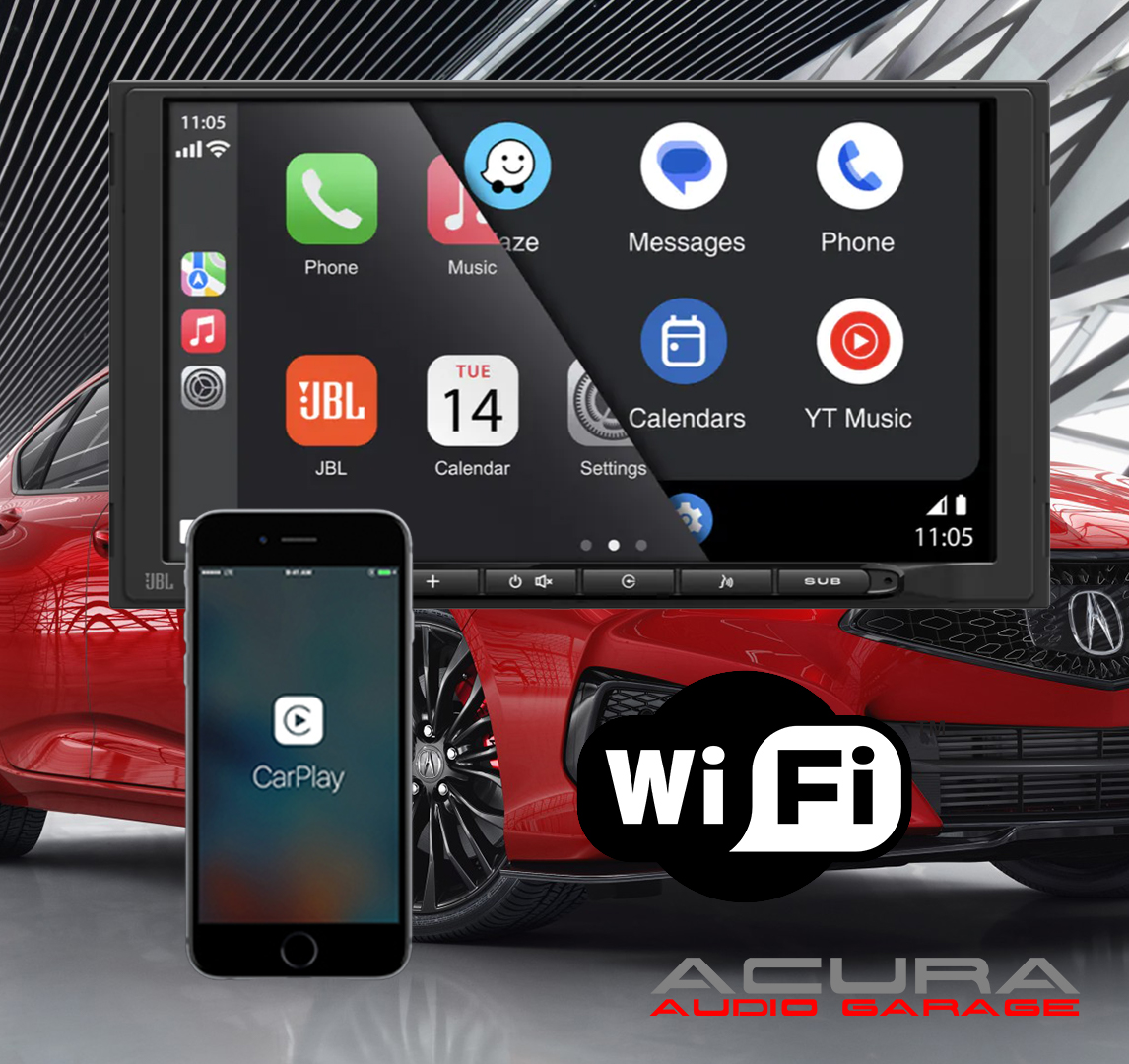
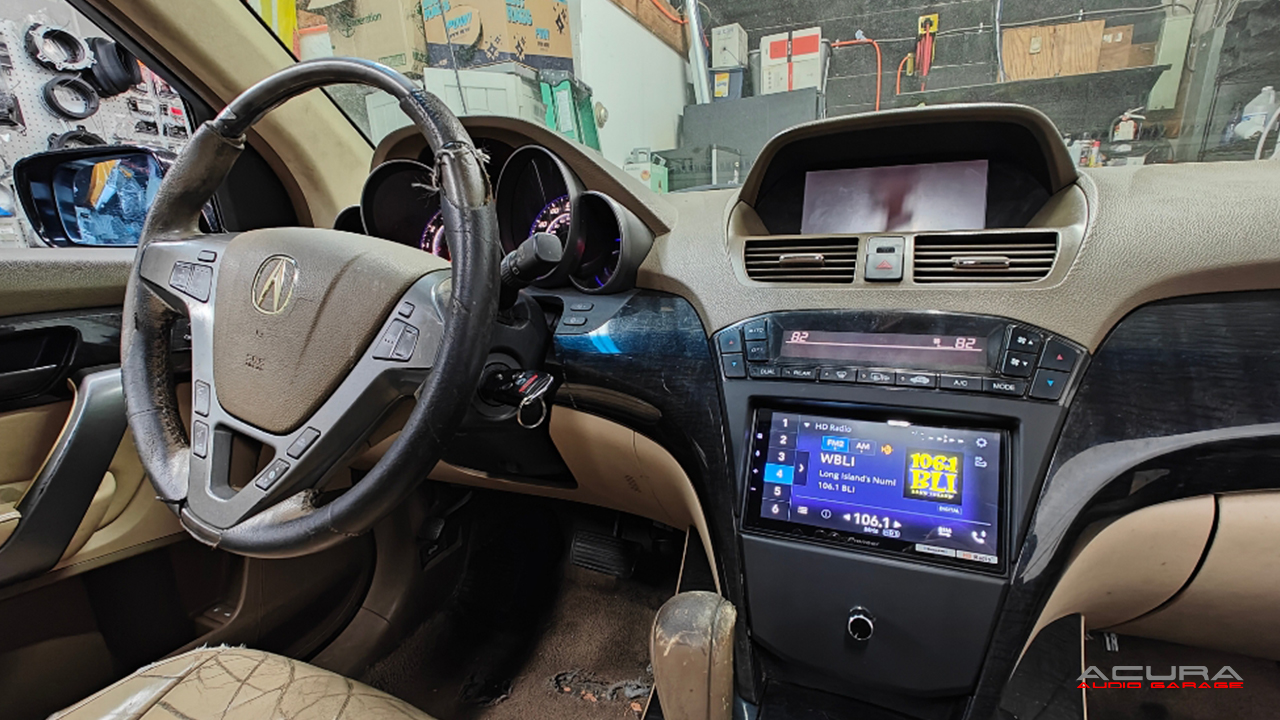
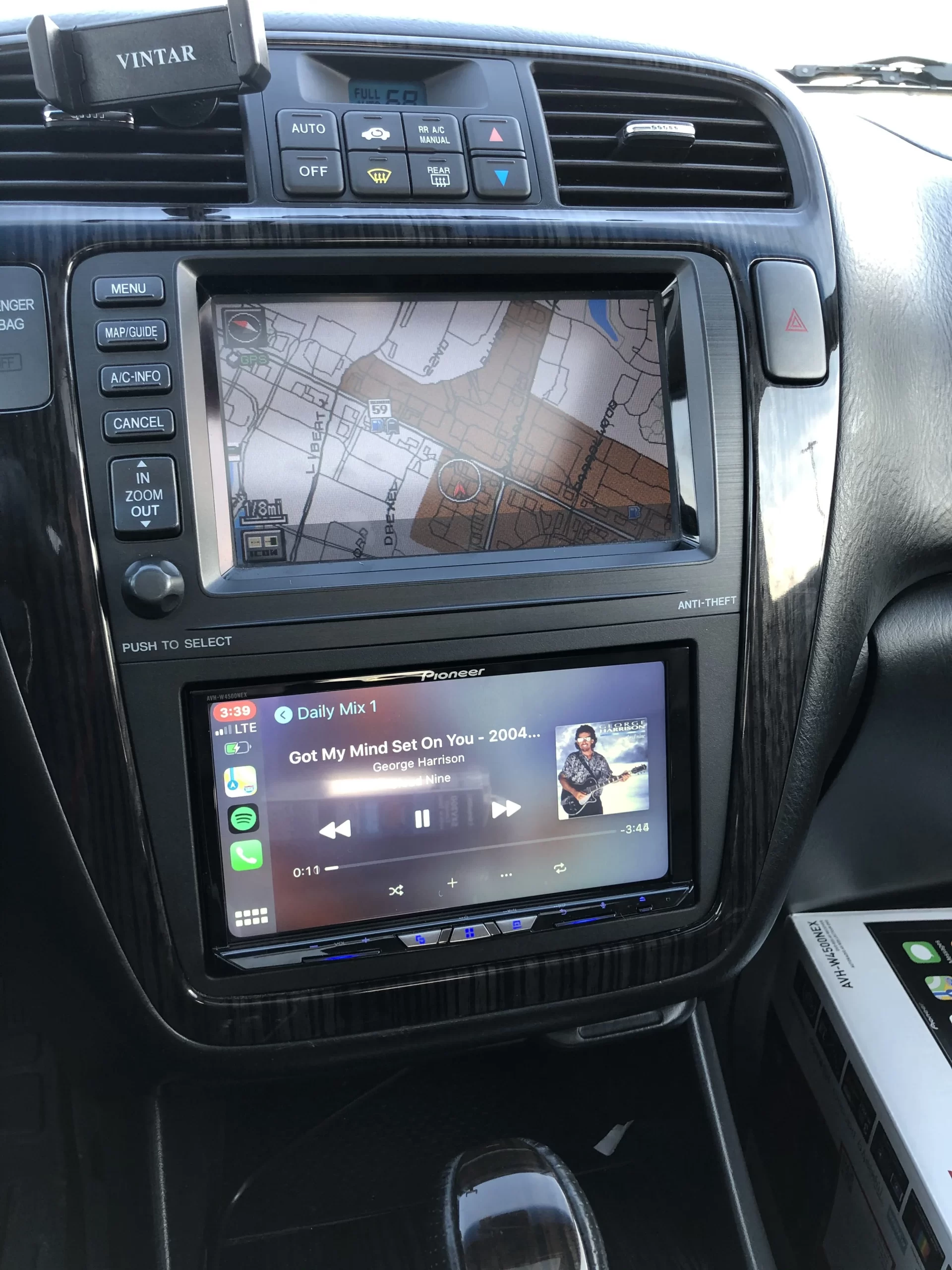
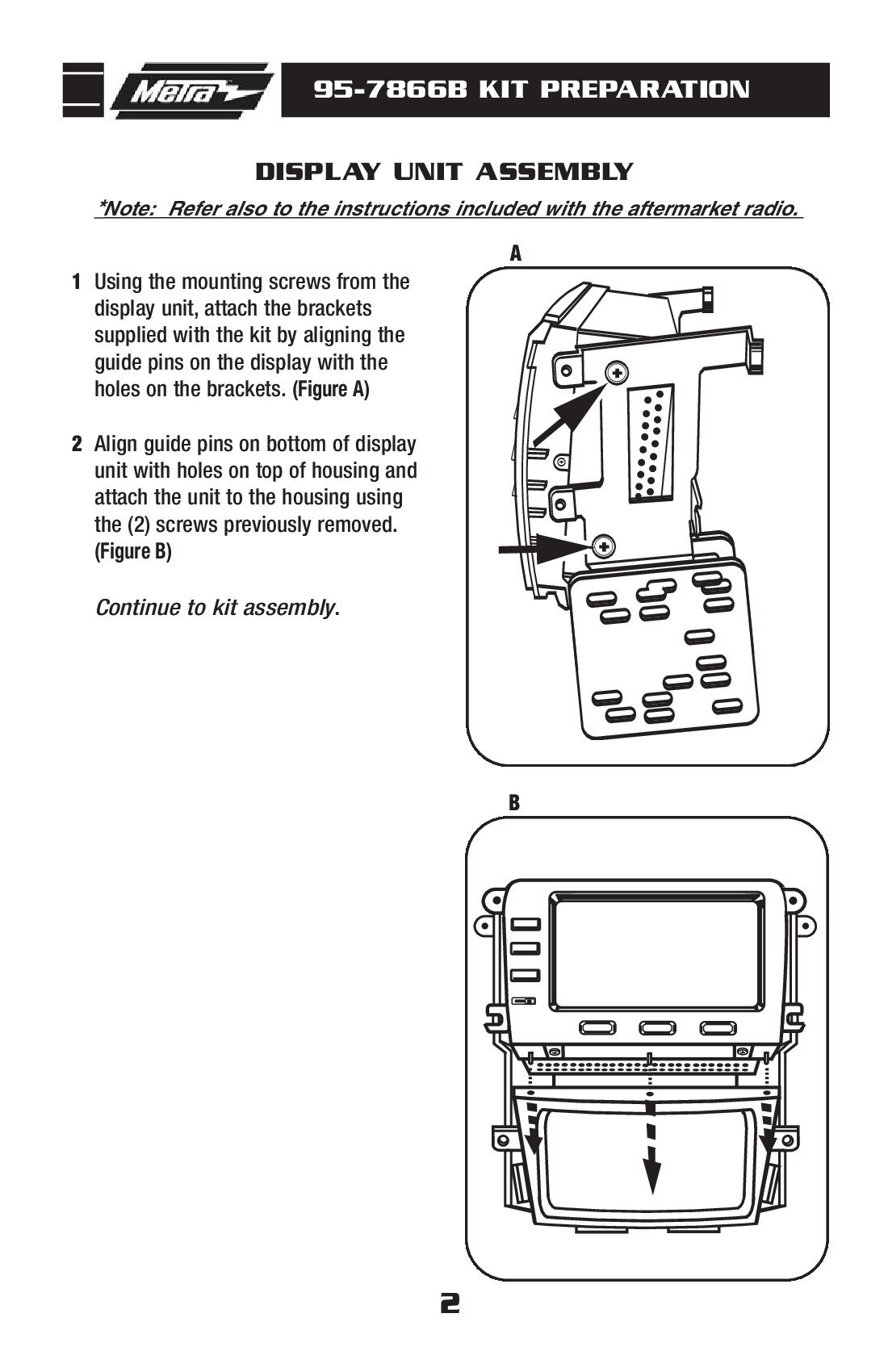
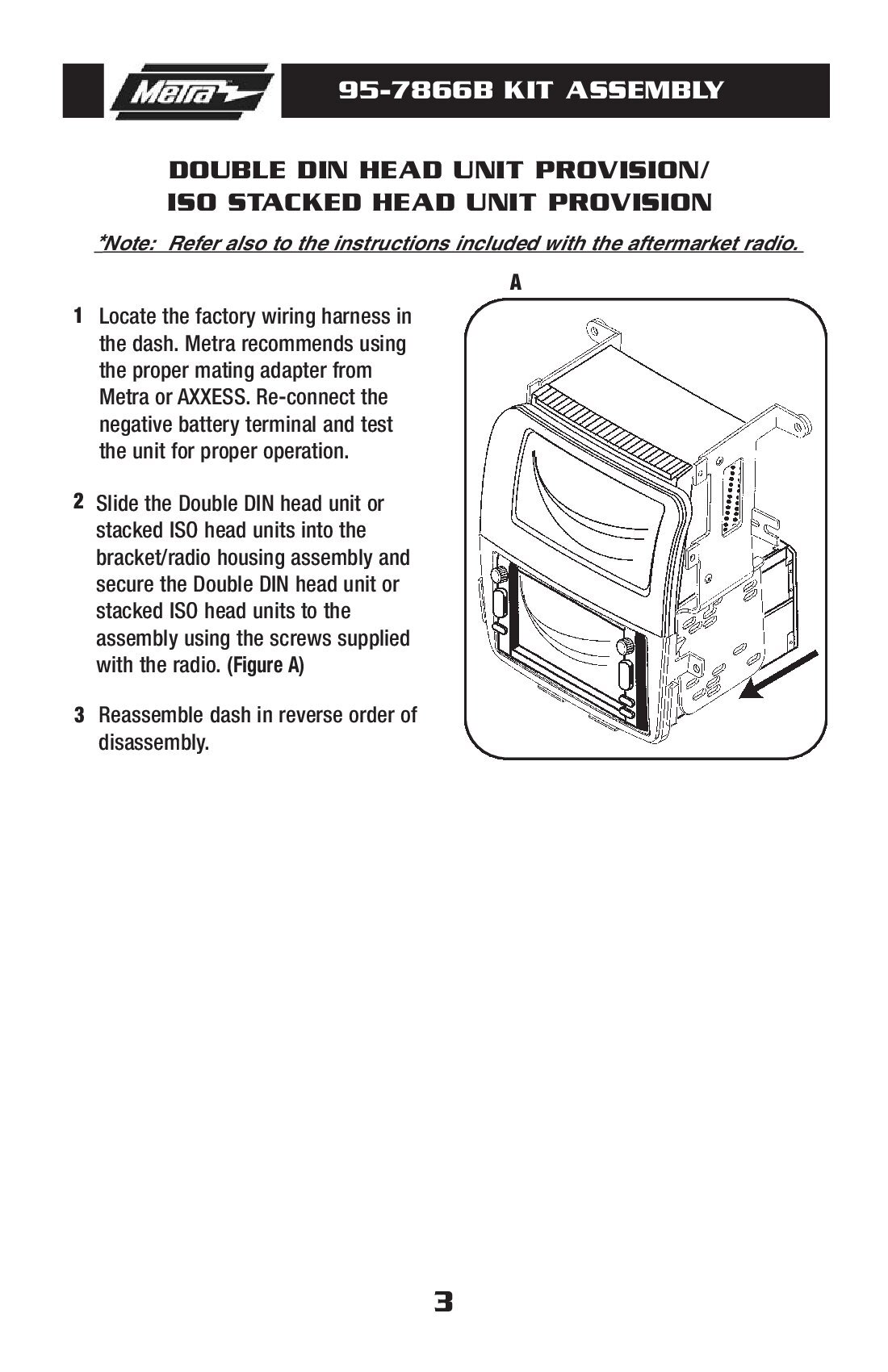
All of of radio kits include, the radio shown in the picture, the dash kit for your exact Acura, a wired plug and play harness and the steering wheel control interface. This is one package that includes everything you will need to complete your upgrade. The information below is a summary of the radio features and some of its highlights. If you are looking for specific information regarding your Acura please visit the following pages. Also please read the message that is generated below the selection menus.
Vehicle Specific Information
1999-2003 Acura TL
2004-2008 Acura TL
2004-2008 Acura TSX
2009-2013 Acura TSX
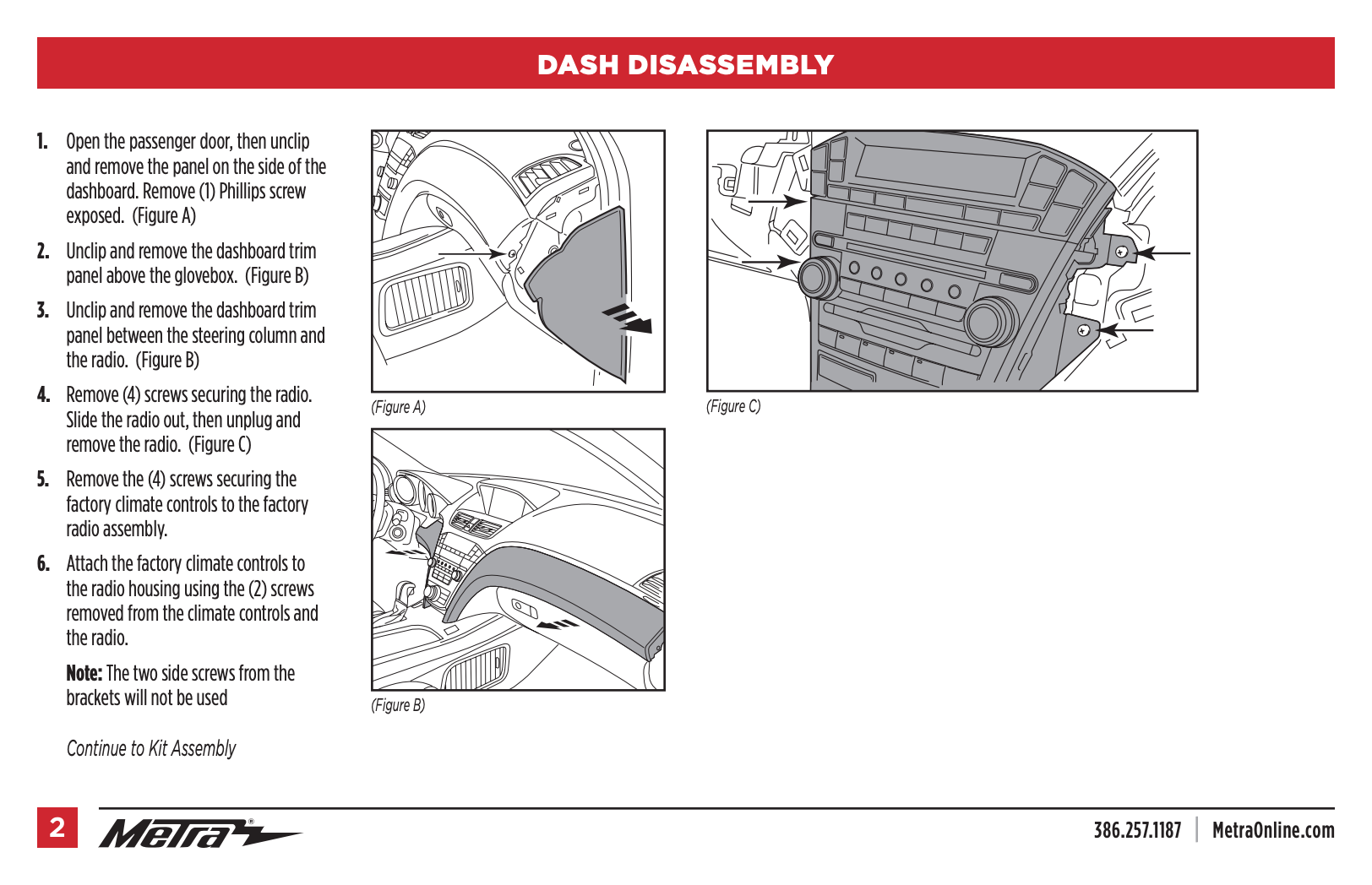
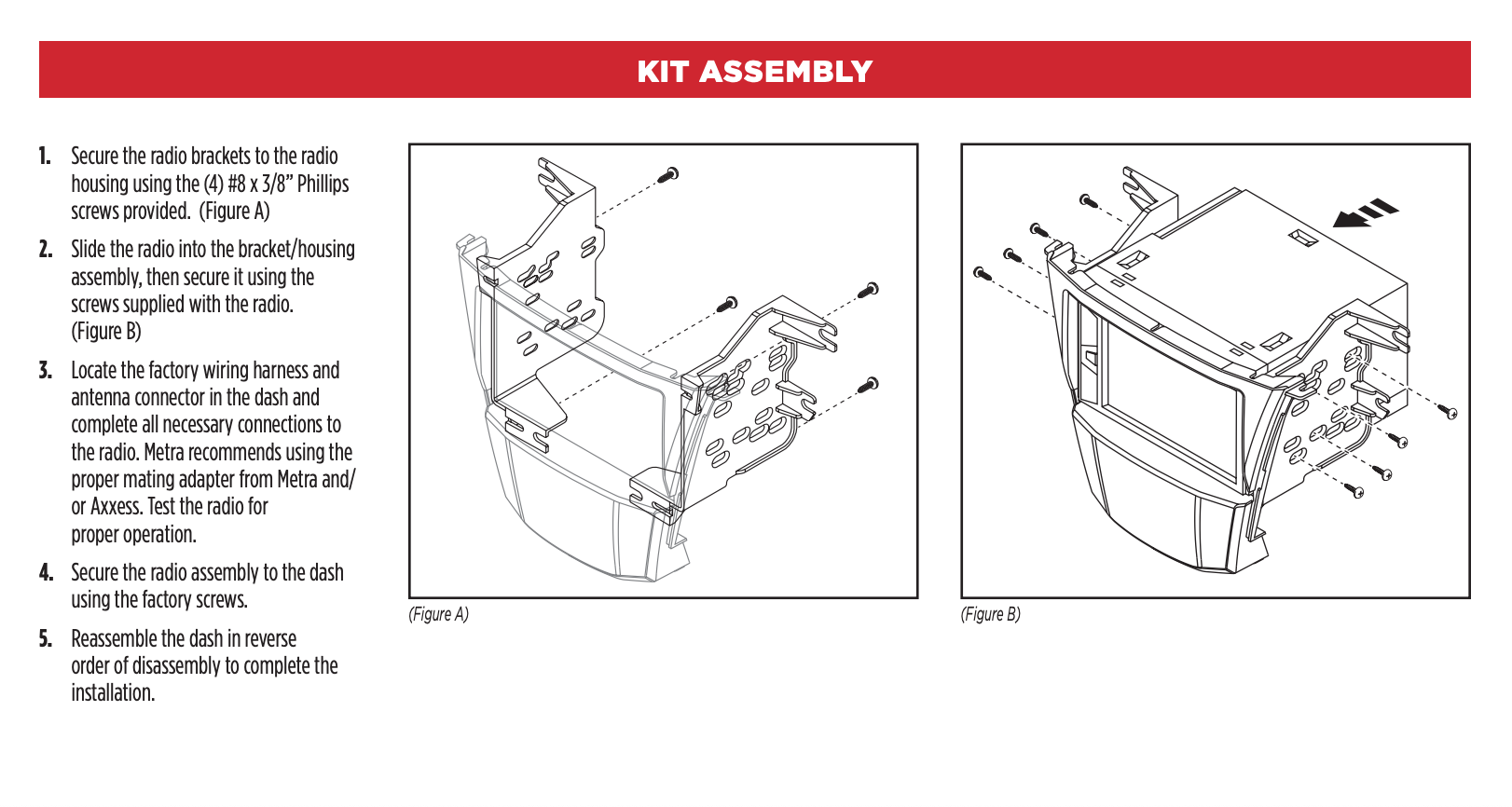
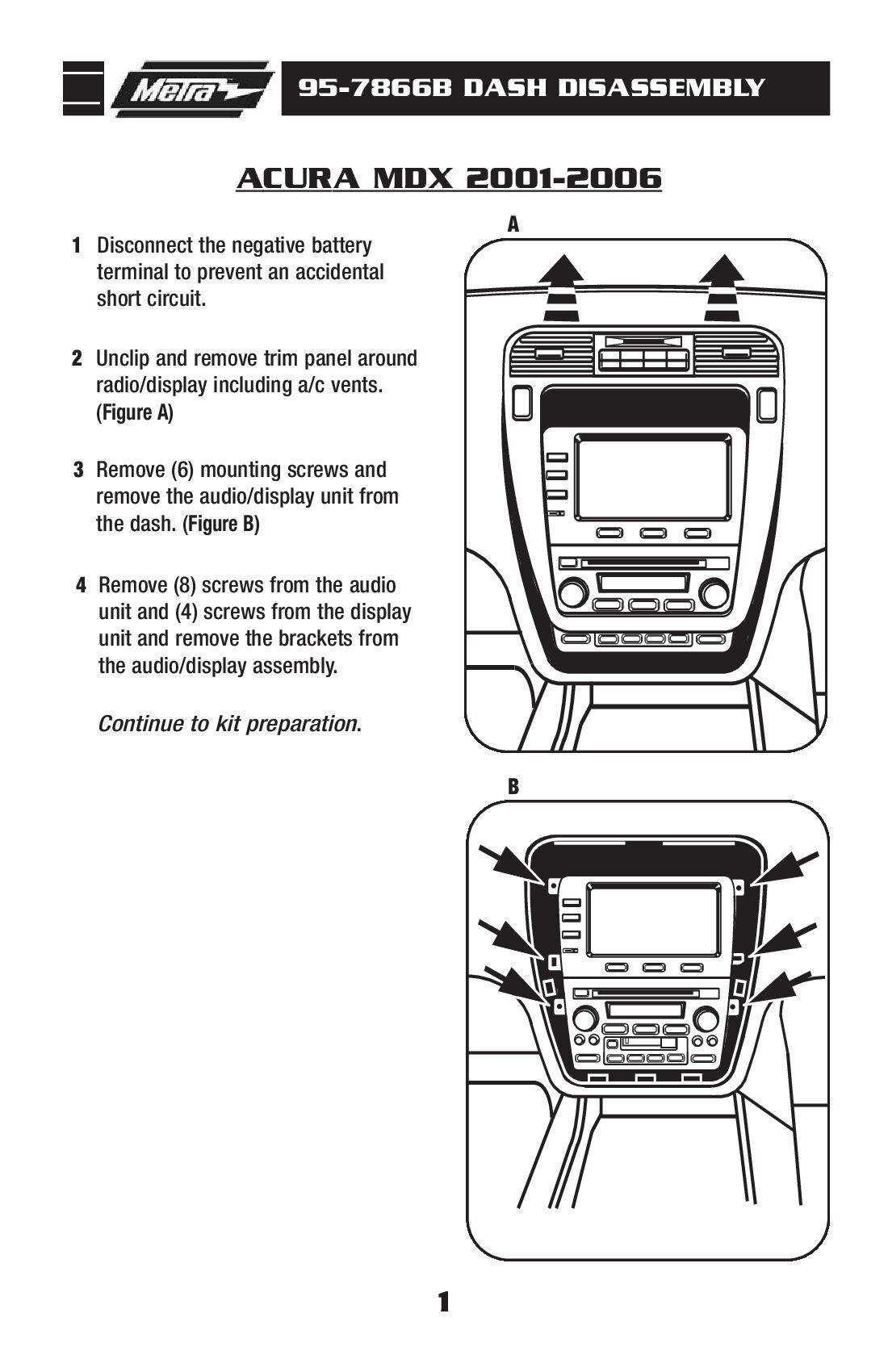
2001-2006 Acura MDX
2007-2013 Acura MDX
2013-2022 Acura ILX Single Screen
NOTICE: Please select your year and model for installation specific information and what factory features will continue working.
Radio Summary:
If you are looking to add , Wireless Apple CarPlay and Wireless Android Auto to your Acura this JBL radio is a budget friendly option. It offers a mix of great value, simplicity and features. The capacitive touchscreen is great for controlling your apps on the go including Apple Music, Waze, Spotify and YouTube Music. Along with Bluetooth, Apple CarPlay, Android Auto this radio also has USB Media Playback and a auxiliary input. It also has the option to add a backup camera or an aftermarket amplifier for subwoofers. What this radio doesn’t have is a CD/DVD player, Sirius XM Compatibility, or built in GPS Guidance. The USB port is on the back of the radio so you will need to run the included USB extension into the glovebox or flush mount a USB adapter somewhere on your dash. Our plug and play radio kit removes the need for any wiring so all you have to do is plug everything in. Our radio kit also allows you keep your factory steering wheel controls, amplifier and all your speakers speakers in most Acura’s.
Who should buy this radio:
This radio is a great choice for a first time buyer of aftermarket car audio receivers. The electronics inside this head unit provide a solid audio foundation for integrating with the factory system in your Acura or powering an aftermarket system. This radio has a very simple interface that makes it easy to navigate. It also has a clean audio output and dedicated settings for any of your audio sound goals. JBL uses there own dedicated operating system that is similar to Sony in simplicity. This radio has tactile buttons all along the bottom so you can easily see and tell which button you are pressing. It has a dedicated subwoofer button to get you to the subwoofer settings whenever you want and a dedicated voice activation button for CarPlay or android auto. The 7″ inch touchscreen display is bright and has great viewing angles regardless or how low or how high you have to mount it in your Acura.
Who should look for something else:
If you are looking for built in GPS Guidance that doesn’t require a phone connection or for the ability to play CD/DVDS this is radio is not a good choice. This radio also isn’t recommended for those who want to run a complex aftermarket audio system that are going to use multiple amplifiers. This radio works great with the factory audio system in the Acura TL, MDX, ILX and TSX but with multiple aftermarket amplifiers there are better options than this radio. Installing a subwoofer amplifier is no problem but if you are planning to run a two or three amplifier system then we recommend a higher tier Kenwood or Pioneer with all the audio settings necessary and with 4v-5V Preamp outputs instead.
About the JBL Brand:
JBL is one of the largest speaker manufacturers in the world. They make car speakers, house speakers, portable speakers, arena speakers and a ton of other speakers. But what do they know about making radios? The truth is this is one of the first radios they have made in the recent years and while JBL has a great track records with speakers we don’t know much about what to expect from there radios. What we can say is this radio has a one year warranty and JBL is a partner who does backup there products.
You may have seen our videos on the 9″ android screen upgrade on youtube. If you have a 2007-2008, or a 2008-2009 Acura MDX then you will have no issues installing the system they sent. If your MDX has navigation and its from years 2010-2011 or 2012-2013 then the harnesses they sent will not work for your installation. You will instead need the harnesses being sold on this page. The harnesses that were sent with the android radio from your amazon, eBay or AliExpress seller will not fit your 2010-2013 Acura MDX. In our video we talk about repining the harness to make it work but we have found a better way. Instead of shipping you one harness for just power and the camera we now ship another harness for the audio as well.
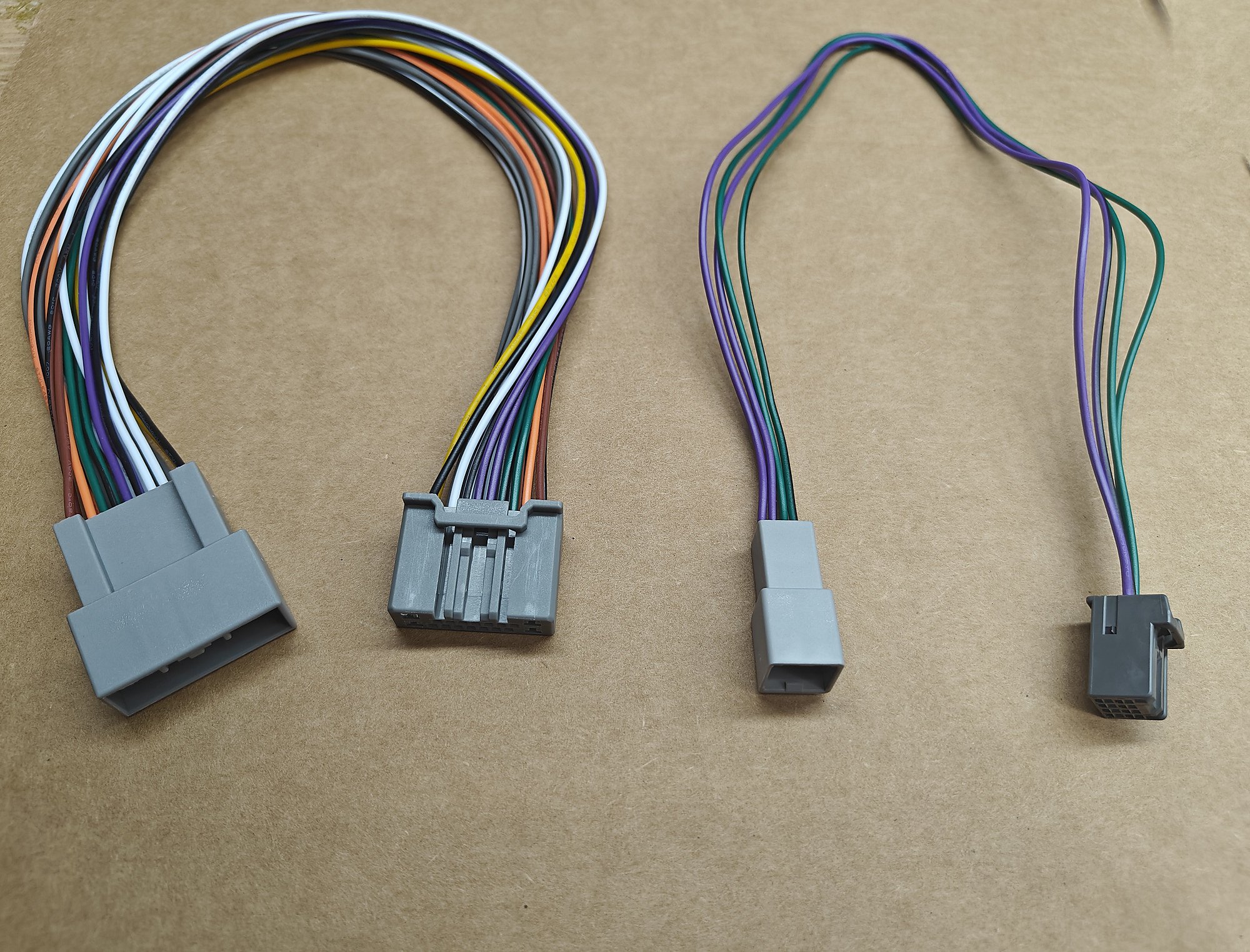
You will receive two harnesses from us along with a 3ft RCA wire to connect everything together. The way audio is routed with our harnesses setup is through XM radio. So you will lose the ability to listen to the factory XM radio if you install our product. If your MDX is built for Canada it will not have XM and the audio harness will not work but the power harness will work. You can easily tell if you have XM because of the XM button on the radio and when you press it, it should ask you to sign up and play ads or let you listen to XM radio.
Please ensure you connect all the white harnesses that came with your android stereo to the stereo before making the connections we sent you.
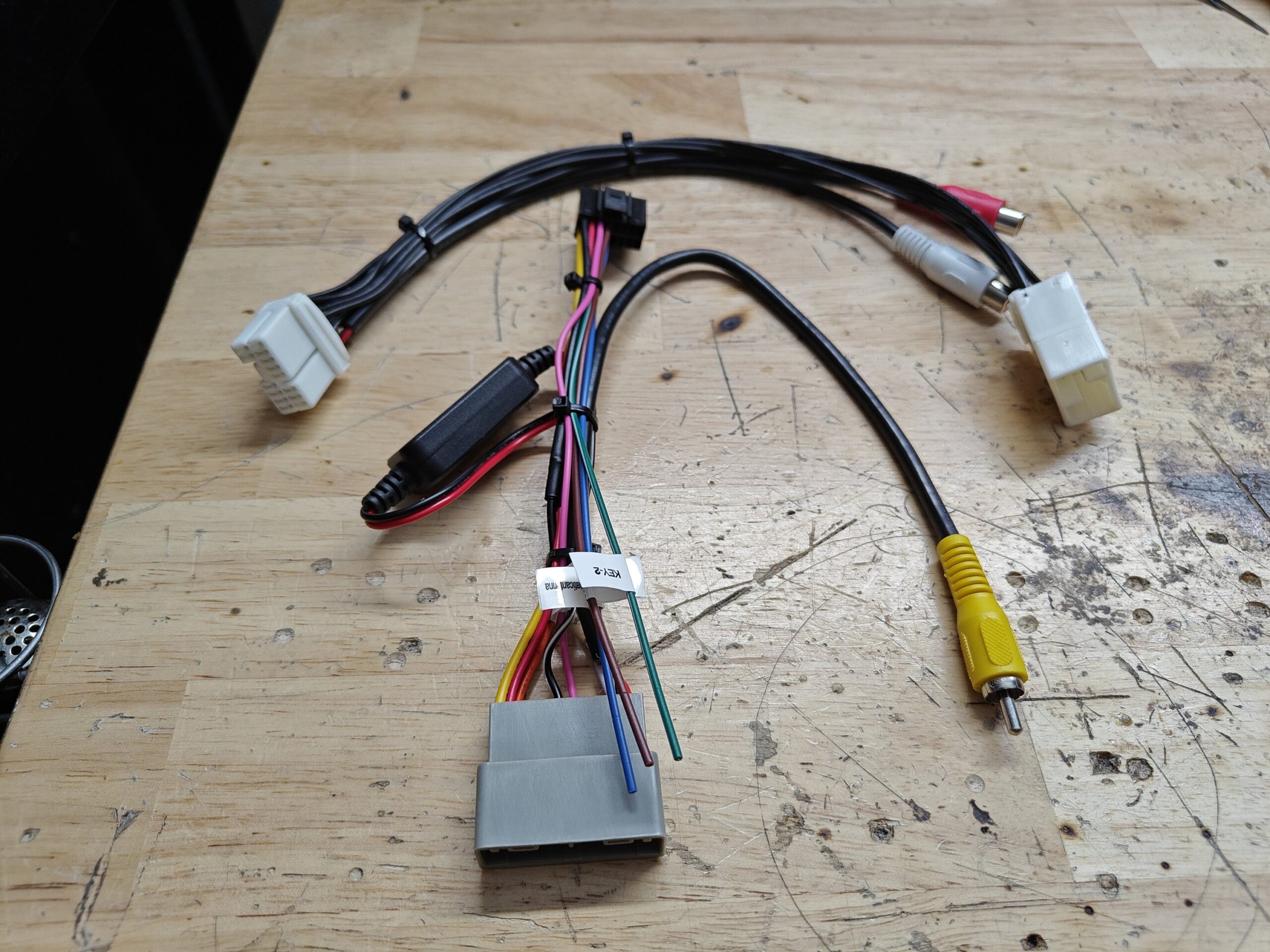
The primary harness in this package is the power and camera harness, this will provide constant power, accessory power, ground, illumination and the backup camera video signal to the new android screen. Please beware that if the camera does not appear correctly when you first go into reverse its because you have to change the backup camera video format setting with the settings of the android screen. You can often find this setting behind the factory setup screen or by touching the screen while in reverse. You want to change the format from “AHD” to “CVBS” or “PAL” to get the factory camera to show up correctly. If you install a new camera this change is not necessary. This harness hooks into where the factory navigation screen was hooked into and plugs into the screen.
The second harness is the XM Audio harness, this harness hooks into the factory radio and you then run the provided RCAs from the harness to the Audio Out L (white) and Audio Out R (Red) RCAS on the back of the android stereo. If you have no audio after installation its because you probably connected to the AUX IN RCAs and not the Audio Out so double check that. Now after installation to listen to the android audio output make sure to raise the android screen radio volume to 37. Then hit the XM button on the factory radio and use the factory volume controls to reach the audio level you want. If you aren’t satisfied with the audio output, I hate to say it but welcome to the club, that is one of the shortfalls of the android screen.
Another common thing that trips people up after install is the Bluetooth setup. When you are setting up bluetooth it is best to disconnect and forget the built in bluetooth in the Acura for the best results. The HFL will just cause problems in the long run so its best to just disconnect it. It’s behind the center console attached to the rear vents. The panel comes off by pulling it, its just clips pressed into place.
These harnesses are all you will need to get the android navigation screen upgrade working in your Acura MDX from years 2010 to 2013 with the HDD button.
SUMMARY
This harness allows you to capture the output of the factory amplifier without cutting or tapping any factory wires. The wires are color coded so you can cut the wires on our harness and send the signal to your line out converter or DSP. When the wires are cut one side of the wires will connect to your DSP or line out converter. The other side will need to be extended and connected to the output of your aftermarket amplifier. It is recommend that you use a line out converter or DSP for the best result but some amplifiers also can take a high level signal directly from another source. The line out converter, DSP or amplifiers installed with this harness will still be controlled by the factory radio. This product does not include a line out converter it only includes the harness. This harness set gives you all the speaker signals, constant power, and ground but it does not provide a remote turn on. We recommend using a fuse tap on the fuse box or you can tap the 28 Pin OEM Connector but the wire is extremely thin. In order for this harness to work as expected your factory amplifier must be working with no issues.
Installation TLX
In your TLX the most important part to consider about the installation is how you are going to deal with the factory front speakers. The factory speakers have a different set of wires for the tweeter and the door woofer. The factory amplifier amplifies the tweeters and woofers separately to make sure those speakers aren’t damaged. If you want to make your system louder you could just amplify the door woofer and not the tweeter or you could amplify both but it will require a four channel amp. The other option is to sum the tweeter and woofer together with an advanced line out converter or DSP. If you only want to add an amplifier to power aftermarket subwoofers we have a better product you can use here. This product is designed to help amplify your entire system or at least a majority part of it.
The most common setup we see on the TLX with the ELS system is to amplify the front door speakers and rear deck speakers along with the subwoofer. The center and rear doors stay on the factory amplifier. This allows you to use a 5 channel amp without a problem.
On the TLXs without the ELS most people also install a five channel system and all the speakers are powered by an aftermarket amplifier and nothing is left on the factory amplifier. In the base model TLX this only requires one harness.
Installation MDX
In your Acura MDX there are several factors to consider when installing an aftermarket system because of all the different speaker combinations available for the MDX. You will need to first identify which audio system and how many speakers you have. Once you have determined which system is installed you can decide to use one or both harnesses in this product. If you want to add only a subwoofer amplifier you will need to use both harnesses. The factory subwoofer has two voice coils which are powered from the factory amplifier with wires in the two plugs. The wires for the subwoofer are always brown and you can tap or cut the four wires to connect to your line out converter. If you only want to amplify your door speakers then you will only use one of the harnesses.
There is no common setup yet for the MDX because the customer base is so small. Once we are able to help more people we can update the description with what the most common system design is. The factory front speakers have a different set of wires for the tweeter and the door woofer. The factory amplifier amplifies the tweeters and woofers separately. If you want to make your system louder you could just amplify the door woofer and not the tweeter. If you want to amplify both you can but it will require a four channel amp. The other option is to sum the tweeter and woofer together with an advanced line out converter or DSP and install aftermarket speakers in place with a passive crossover.
Below are videos regarding how this harness has been used.
Your Acura MDX without navigation has a total of 6 speakers that are powered by the factory amplifier. When replacing the factory radio using our complete kit you are able to keep all of the speakers except the center channel. The front door speakers, tweeters, rear deck speakers and the factory subwoofer will all continue to work; the center dash speaker will not work. You will also lose the factory hands free functionality and the factory XM functionality. Our harness integrates with the factory amplifier to keep all your speakers working. If your factory amplifier does not work this kit will not work.
Your Acura MDX with navigation has a total of 8 speakers that are powered by factory amplifier. When replacing the factory radio using our complete kit you get to keep all the speakers including the factory subwoofer, door speakers, center speaker and tweeters. Our harness along with the amplifier interface allows you to keep the factory amplifier and keep all your speakers working. Your factory backup camera will continue to work but you will not be able to control the navigation. In the 2007-2009 MDX you will also need the factory navigation to not loose power to keep your camera working. In the 2010-2013 Acura MDX the backup camera is directly wired to the factory screen so it will continue to work. You will also lose the factory hands free functionality and the factory XM functionality. The rear entertainment will also no longer work.
When replacing the factory radio you will lose Sirius XM and the factory handsfree link functionality. The steering wheel controls including volume up, volume down, next, previous and mode will work. The call control buttons are not retained. The navigation control buttons are not retained.
FAQ
- Can I add an amplifier and subwoofers with your harness?
– Yes you can. You will just need run your RCAs to the back of the radio and wire tap the blue or blue/white wire of the harness. - Can I add a backup camera with your harness?
– Yes just follow the instructions provided in the radios owners manual or the cameras manual to complete the installation. - Can I use a random radio I found on Amazon or eBay that has an unknown brand?
– Most likely not. If the radio you purchased on Amazon is less than $100 it most likely won’t have all the features and ports needed for you to complete the installation. - Do I get to keep all my speakers?
– Yes all speakers are retained. On non nav models the center dash speaker is lost. - Do I get to keep my steering wheel controls?
– Yes but an additional part is required. The AXSWC in included in this kit. You will get to keep volume up, volume down, next, prev and mode. The call control buttons will not be retained. - How do I get the radio to dim when I turn on the headlights?
-You will need to wire tap the wire show in this picture and attach it to the orange or orange/white wire in your harness.
Your Acura MDX has a 5 speaker system which are all retrained when installing this aftermarket radio. If you have BOSE or don’t have BOSE you will keep all your speakers including the subwoofer and your factory amplifier. Your factory navigation touchscreen will continue to function but there will be no audio so you will lose route guidance and other prompts. The backup camera will continue to work through the factory screen. If you don’t have a touchscreen the trip screen will work as normal. You will also get to keep your steering wheel control buttons including volume up, volume down, next, previous and mode. Call control buttons are not retained. You will lose the factory Bluetooth functionality and use the Bluetooth from the new aftermarket radio instead. If you upgrade your radio you will lose rear entertainment, external CD changer, external DVD player, factory Sirius XM and OnStar.
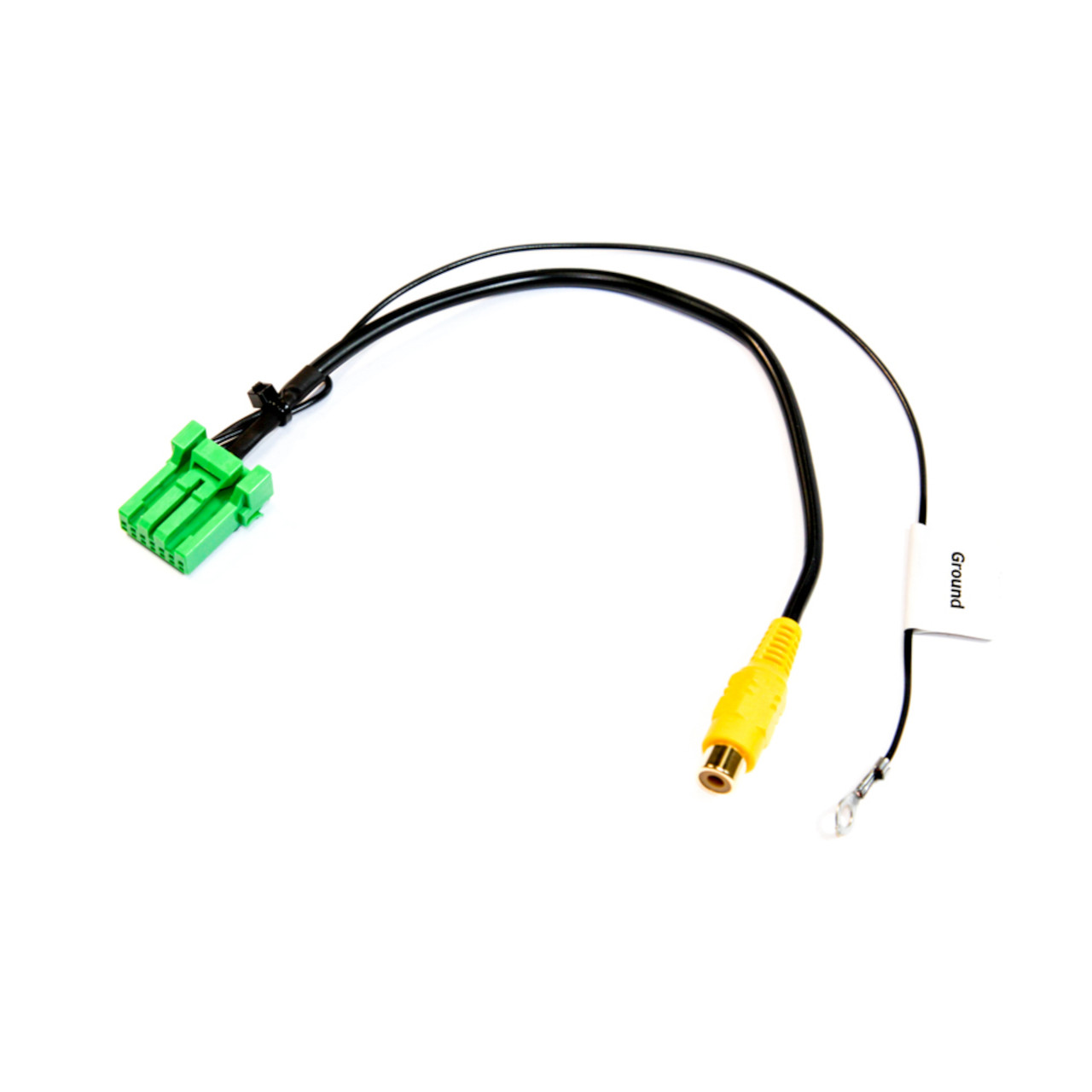
If your Acura TL, RL, RDX or MDX came equipped with factory backup camera and has the factory DVD/ROM navigation drive this harness will allow you to keep the factory backup camera with a new aftermarket radio. This harness plugs in where the factory navigation drive is in your Acura. On the 2007 2008 Acura TL the navigation drive is in the trunk on the passenger side. On the 2007 2008 2009 Acura MDX the navigation drive is below the driver seat, where this harness plugs in. On the 2007-2009 RDX the navigation drive is below the glovebox. On the 2005-2008 Acura RL the Navigation drive is in the trunk. This harness requires connection to 12v and ground. You can ground the harness right on the body of the navigation drive. The power you will connect to the red wire on the RCA. The yellow wire on the RCA is used to connect to pin 5 on the black connector of the navigation it is a brown wire. That brown wire is the reverse signal it will provide 12v when you are in reverse. You then connect the RCA cable to the female cable of the harness and run it up to your new aftermarket radio.
If you upgrade the radio in your 2009-2010, 2011-2012, 2013 2014 Acura TL, TSX or MDX and want to keep the climate information available, you will need to replace the factory navigation display with a non navigation display. When you replace the factory navigation display you lose the factory backup camera. If you want to retain the factory backup camera and view it on your aftermarket radio you will need this harness.
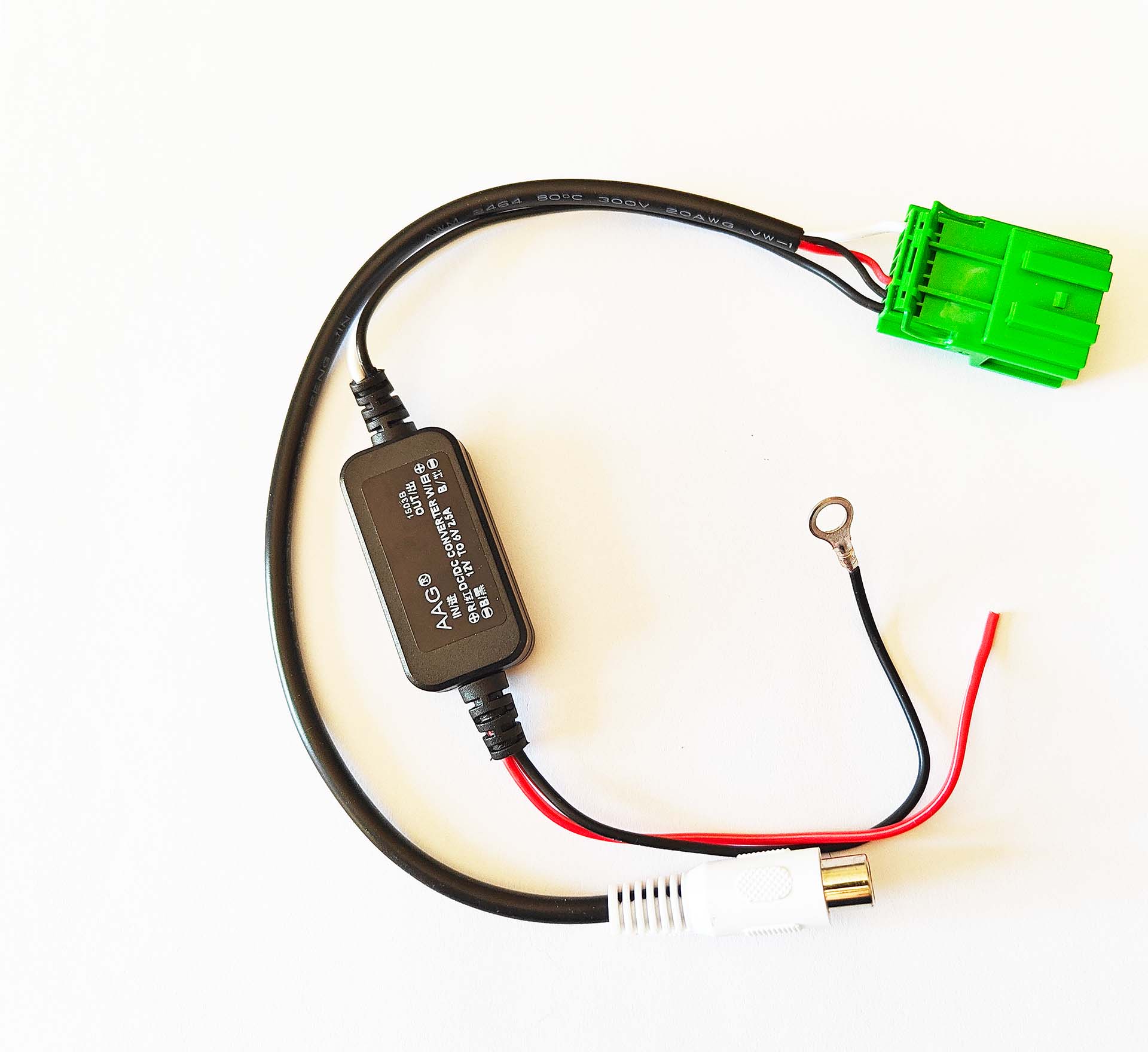
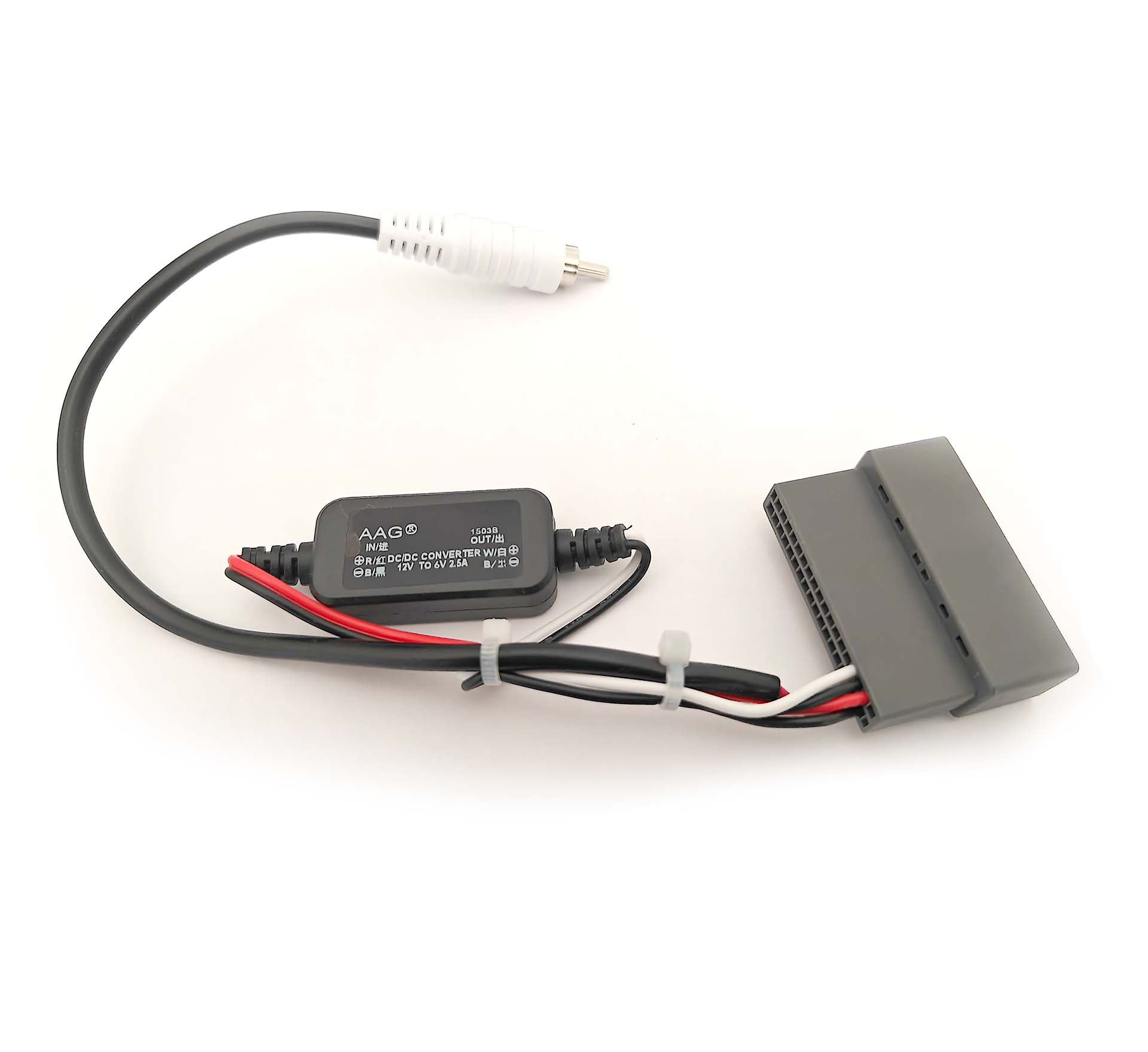
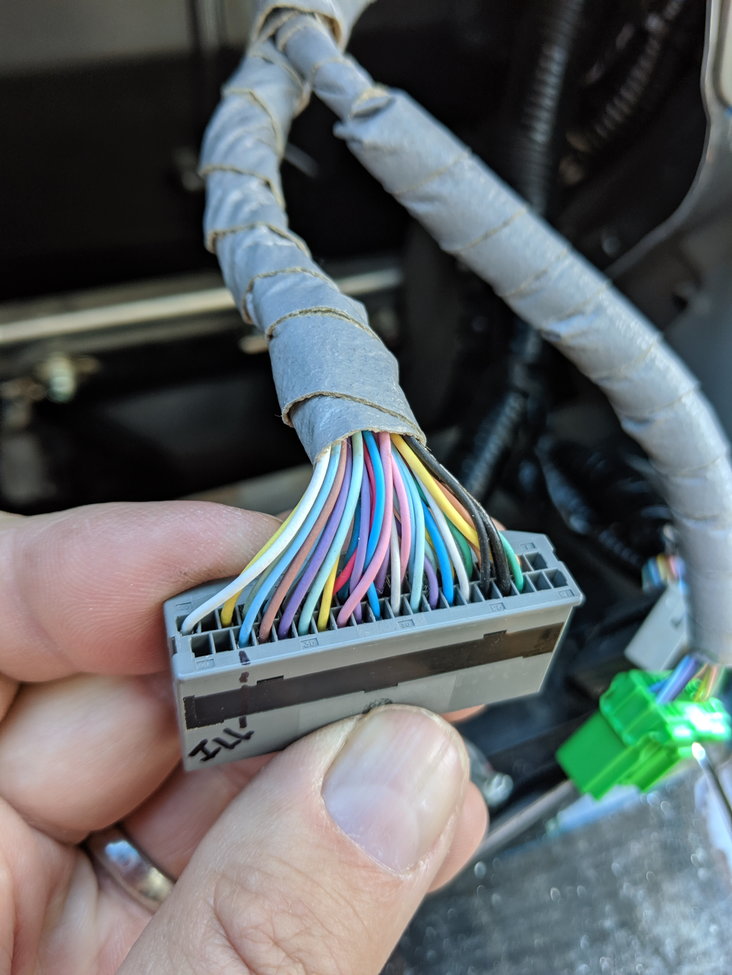
This harness provides the factory camera with the correct amount of voltage (6v) and gives you an RCA to connect to your aftermarket radio. If your factory camera has multiple angles only one angle will work with the new aftermarket radio and you will not be able to switch it. In order to automatically switch your aftermarket radio into reverse you will have to wire tap the reverse signal. The reverse signal trigger wire is included in the 2009-2014 Acura TL wire harness and the 2010-2013 Acura MDX wire harness. On the 2009-2010 Acura TSX you must wiretap the reverse signal at the junction boxes. In the 2011-2014 Acura TSX you will wire tap the connectors to the factory navigation. The grey 28 pin connector behind the navigation brain has the reverse signal on the light blue wire which is pin 20. See the images for the pinout. If you are looking for the harness for the android radio for your Acura MDX click here.
This is the breakdown of the connector per car. Although the pin numbers are the same some vehicles have different pinouts.
2009-13 Acura TSX 28 Pin
2009-2010 Acura TL 32 Pin
2011-2013 Acura TL 36 Pin
2011-2013 Acura MDX 28 Pin
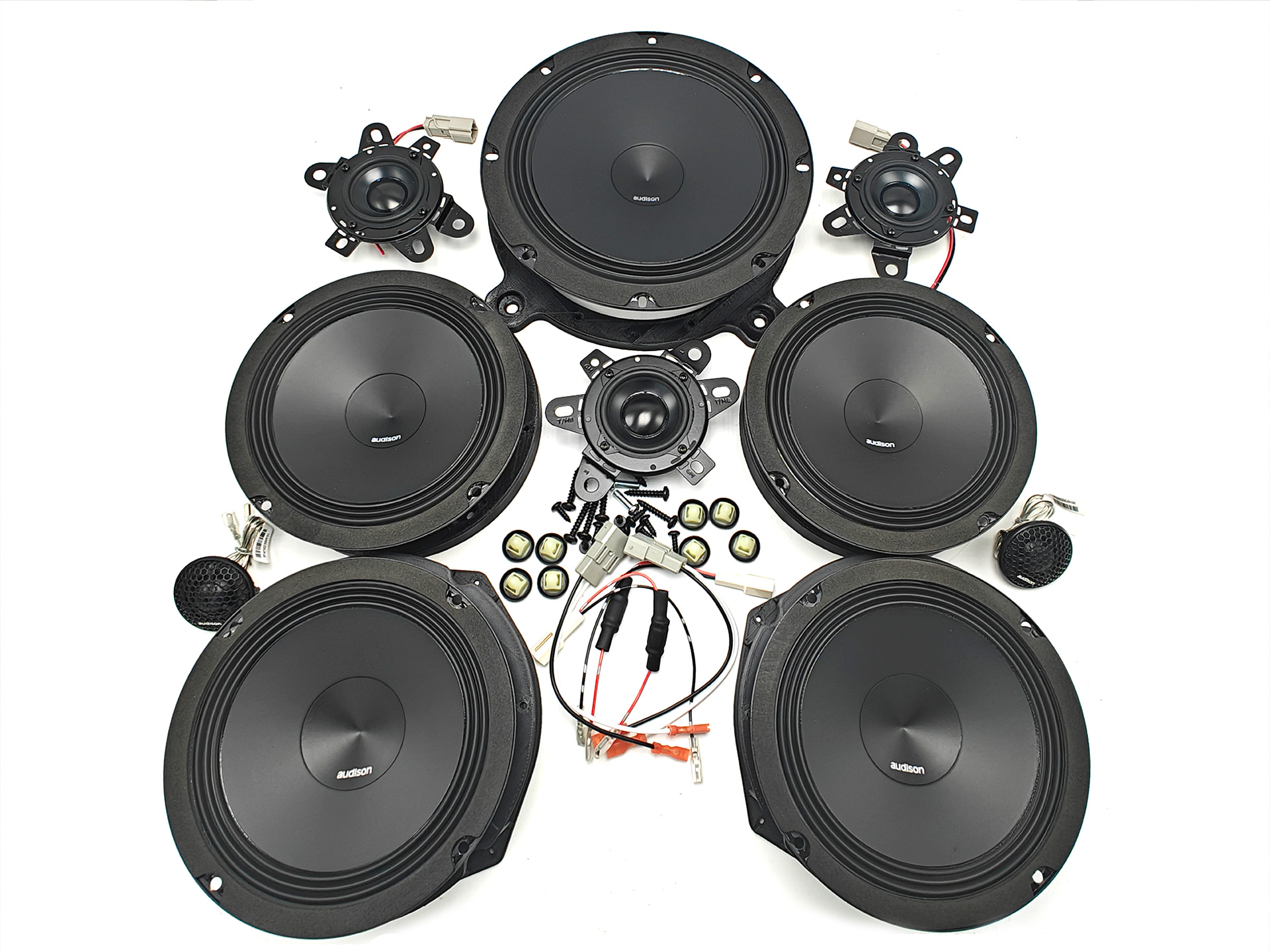
If you have a 2007 or newer Acura with Navigation and the ELS Audio System this speaker set is a great upgrade to get all of your speakers sounding amazing. This speaker set includes every single speaker in your audio system including the tweeters, center and surround speakers. This speaker set comes with all the components you will need to install it. It includes all the harnesses and brackets necessary to make your installation plug and play.
If you are looking for the specifications for the speakers you can find them by clicking the links below. If your factory subwoofer is in an enclosure you will not need a bracket or wire harness you will reuse the factory screws and wiring to mount your sub. If your subwoofer is mounted on the rear deck you will be provided with a harness and a new bracket.
Front – click here
Rear – click here
Center – click here
Sub – click here
If your factory backup camera is bad and you want to replace it or if you want to add a backup camera to the factory navigation of your Acura this harness will allow you to do so. This harness plugs straight into the navigation and allows you to send video in. You must ground the black wire of this harness for the camera signal to work.
NOTICE: Please select your year and model for installation specific information and what factory features will continue working.
Radio Summary:
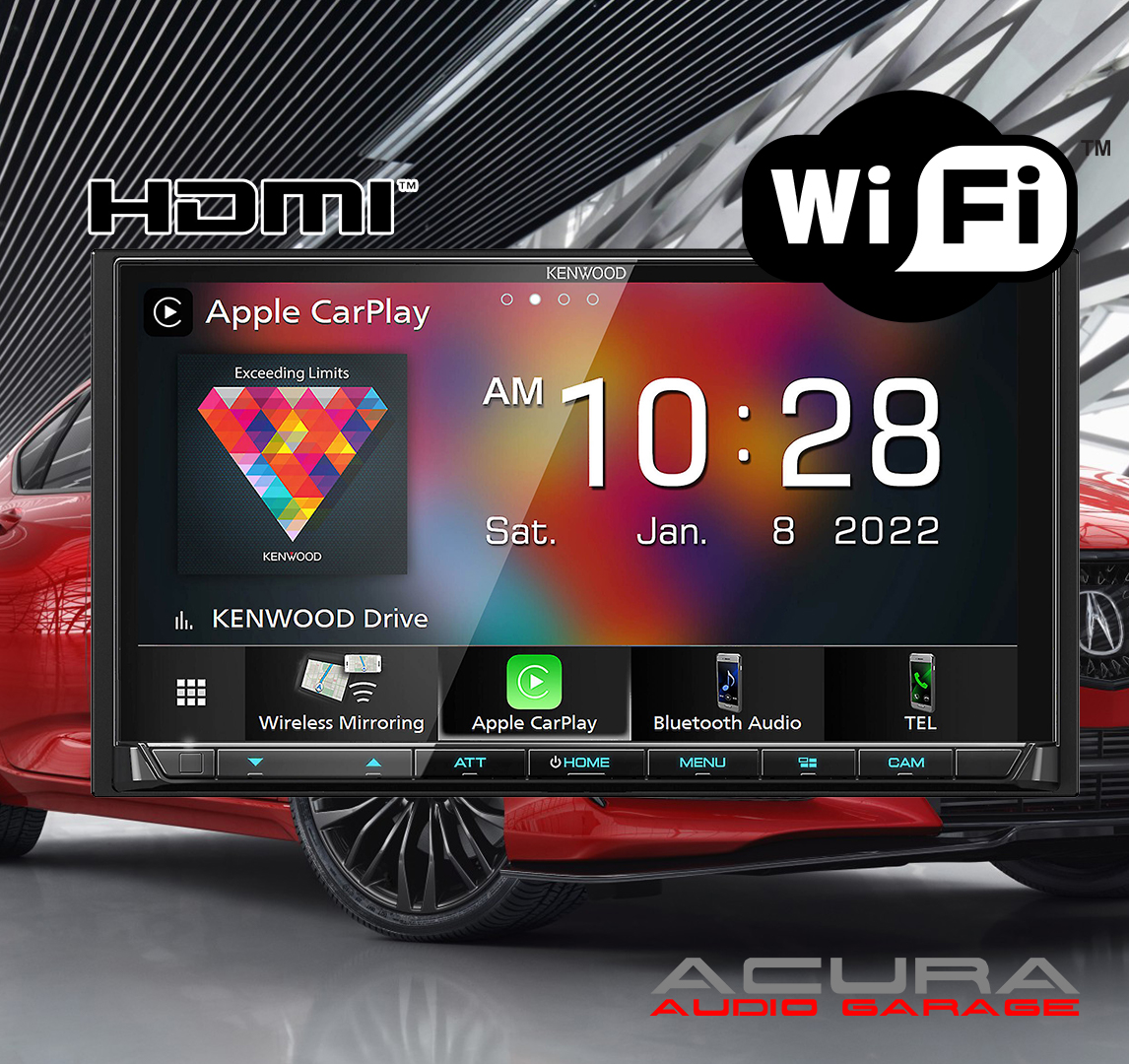
If you are looking for the best available head unit for your Acura this Kenwood receiver is the winner. Kenwood also makes higher tier units that might have additional features but this radio has all the essential features you could want in a new radio. This radio has an 7″ HD capacitive touchscreen and tactile buttons to help you control your entertainment. This radio is loaded with wired and wireless Apple CarPlay/ Android Auto, Bluetooth Audio Streaming and Calling along with wireless Android Mirroring. This radio also has SiriusXM compatibility, an HDMI port, multiple camera inputs and three pairs of 4volt pre amp outputs to power your factory amplifier or aftermarket amplifiers. The only features missing from this radio are a CD/DVD player and built in GPS Guidance. Installing this stereo requires you to run a new microphone wire to the visor or other desired location. The USB port is on the back of the radio so you will need to run the included USB extension or flush mount a USB adapter somewhere on your dash. Our plug and play radio kit removes the need for any wiring so all you have to do is plug everything in. Our radio kit also allows you keep your factory steering wheel controls, amplifier, speakers and factory navigation in most Acura’s.
Who should buy this radio:
This radio is a great choice for anyone looking to upgrade the head unit in their Acura. The Kenwood operating system is intuitive so if you know how to use a smartphone you can easily use this radio. This radio also has all the settings you could want to adjust the sound output to your liking. There are tons of menus to find all kind of cool adjustments but if you are just looking for the basics this radio is simple and easy to control. The icons are large and selecting your desired source is easy. The HD screen makes choosing apps or selecting radio stations enjoyable and electronics inside this head unit provide a solid audio foundation for integrating with the factory system in your Acura or powering an aftermarket system.
Who should look for something else:
If you are looking for built in GPS Guidance that doesn’t require a phone connection or for the ability to play CD/DVDS this is radio is not a good choice. If you like to keep all your media on a USB drive this radio is also not a good choice. The menus for traversing folders and finding the exact song you may want to listen to on your USB drive is annoying. If you want to watch videos of a USB its okay but not for audio.
About the Kenwood Brand:
Kenwood is often compared to Pioneer and is referred to as ‘your grandpas radio’ by enthusiast when it comes to aftermarket electronics. But that statement while silly just showcases how long Kenwood has been around delivering quality aftermarket audio components. The Kenwood power delivery, audio quality and sleek operating system makes their head units an easy recommendation for enthusiast and professionals looking for a new radio. Kenwood offers a one year warranty on head units so you can have peace of mind that your investment is protected.
NOTICE: Please select your year and model for installation specific information and what factory features will continue working.
Radio Summary:
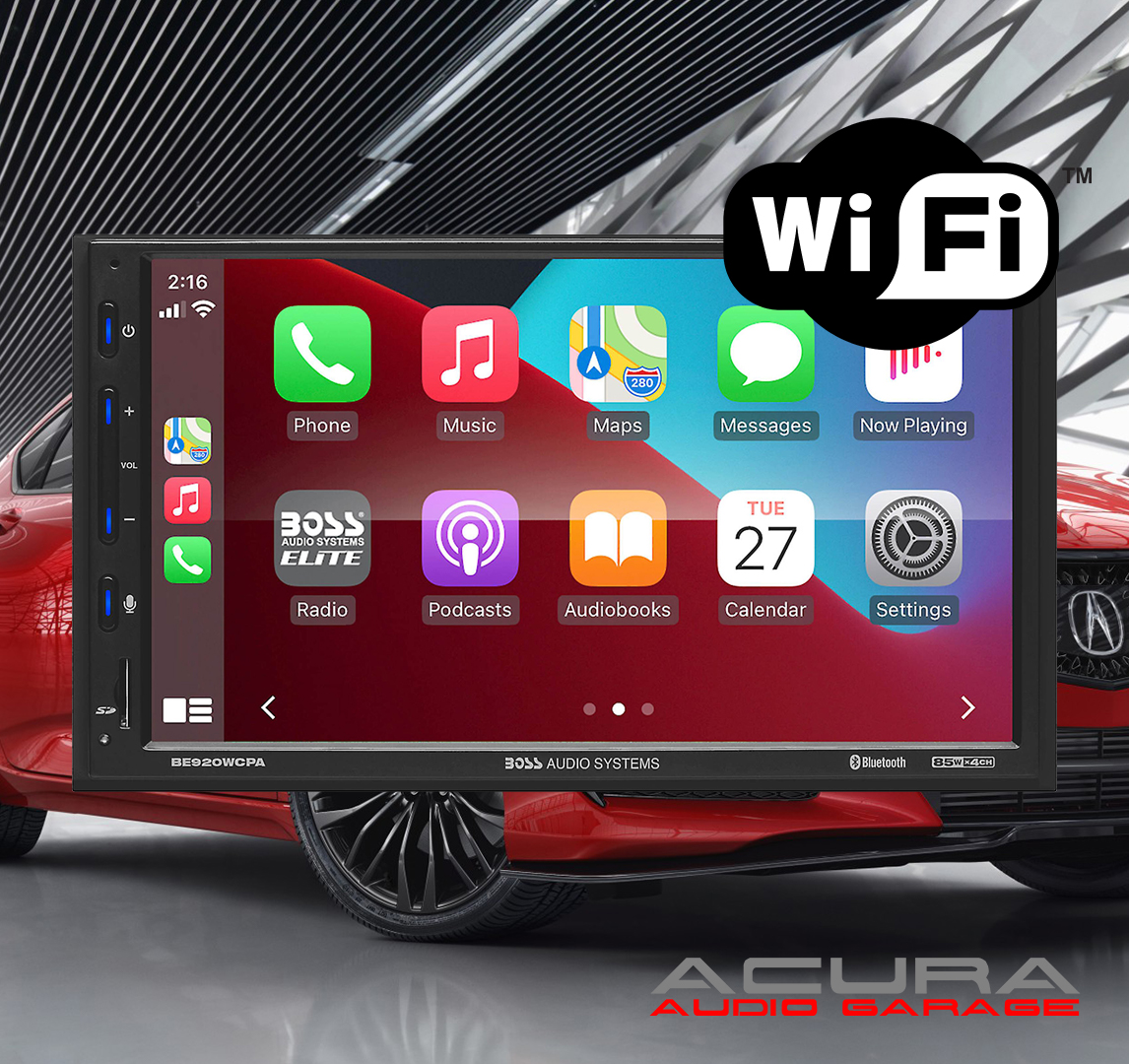
If you are looking to add Wireless Apple CarPlay or Wireless Android Auto to your Acura at an affordable price this BOSS Elite Apple CarPlay touchscreen double din radio is a great choice. It is one of the most affordable name brand units with wireless and wired Apple CarPlay and Android Auto. This radio also has Bluetooth, USB/SD Card Media Playback and the option to add a backup camera or an aftermarket amplifier for subwoofers. What this radio doesn’t have is built in GPS, CD/DVD or Sirius XM capabilities. Installing this unit requires you to run a new microphone wire to the visor or other desired location. Also the USB inputs are at the back of the radio so you must run the extensions to an accessible location or flush mount USB ports somewhere in your dash. Our plug and play kit removes the need for any wiring so all you have to do is plug everything in. Our radio kit also allows you keep your factory steering wheel controls, amplifier, speakers and factory navigation in most Acura’s.
Who should buy this radio:
This radio is meant for someone looking for wireless Apple CarPlay or Android Auto at a lower price point. This radio great for someone who also wants Bluetooth audio streaming/calling and the ability to add a backup camera. The wireless connections allow you to keep your phone in your pocket or bag and manage your music on the go straight from the touchscreen of the radio without plugging in any wires. The touchscreen on this radio is responsive so using it to control CarPlay, Android Auto and Bluetooth is easy. The tactile buttons also are a great benefit of this radio. Almost all new aftermarket radios are incorporating capacitive touch buttons so its nice to have buttons you can feel and press down. Lastly this radio has an SD card slot so you can access your entire media collection instantly just by adding your SD card.
Who should look for something else:
If you are looking for built in GPS Guidance, Sirius XM capabilities, or Phone Mirroring this radio is not a good choice. This radio also isn’t suggested for those who want to run complex aftermarket audio system with multiple amplifiers. This radio works great with the factory audio system in the Acura TL, MDX and TSX but with aftermarket equipment this radio doesn’t have all the recommended settings to run multiple amplifiers. Installing a subwoofer amplifier is no problem but if you are planning to run a two or three amplifier system then we recommend a Kenwood radio instead.
About the BOSS Brand:
While BOSS has been in business for over 30 years some worry about quality of their products and opt for choosing a better recognized brand. The BOSS Elite line of products has really taken charge in the last couple of years and offers a fantastic value to those looking for a great inexpensive radio. BOSS offers a three year warranty on the BOSS elite line of radios so you can have peace of mind that your investment will be protected.
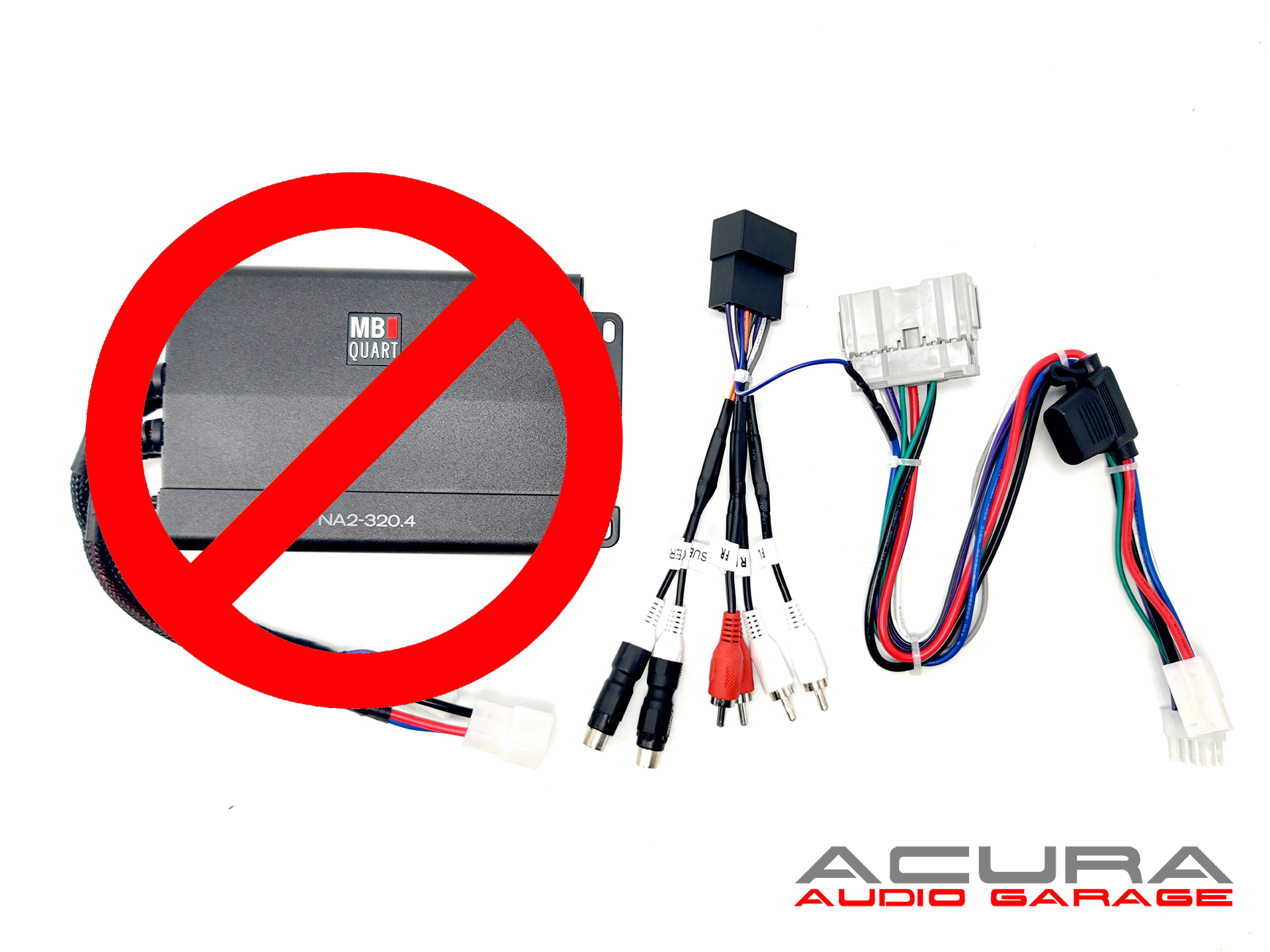
Upgrade the amplifier in your Acura TSX , TL, MDX with our plug and play harness. This harness works with the following amplifiers: NA2-500.5, NA2-320.4, TPS-A600.5. TPS-A350.4. This listing is only for the amplifier harness it does not include an amplifier.
This harness is fully tested on the exact amplifier you are installing before shipping therefore if you encounter an issue such as hissing or ringing after installation the harness is most likely not the issue. The issue is most likely your audio source or your power source.